
Teams running AI agents end up switching between a terminal, a chat, and an editor. With every window change, context disappears and the flow breaks. Kilo Code solves this with an open-source agent that organizes the work, in the terminal and in VS Code.
Dicas6 min
Kilo Code v7.8.27: the agent that organizes your workflow
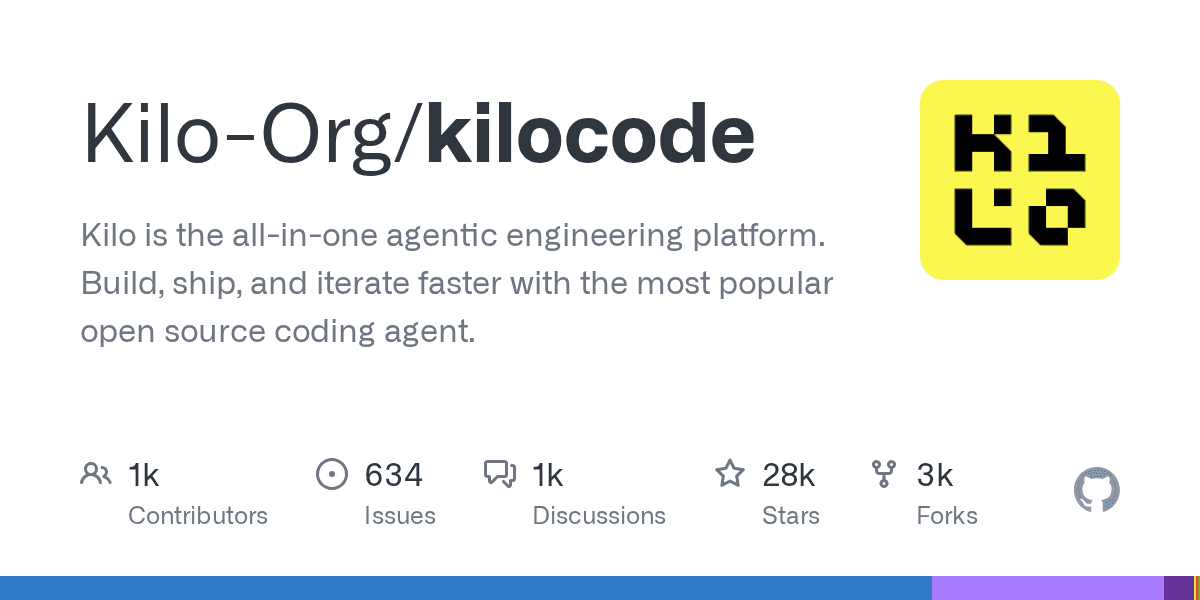
Kilo Code is an open-source code agent that runs in the terminal. See what's new in v7.8.27 and how to use it in your workflow.

Marcelo Santiago
Criador do bridgecode
The biggest AI newsletter in the World
Get AI articles in your inbox
Technical curation on models, agents and coding tools. No spam, unsubscribe anytime.
What is Kilo Code
Kilo Code is an open-source agent (MIT license) that executes programming tasks by interacting with AI editors and CLIs. It does not replace your flow, it organizes it: each agent has a space, a model, and a key, all tracked in a single place.
At its core, Kilo Code works as a lightweight orchestrator. You define a goal, it splits tasks among specialized agents, runs the commands, and returns the result. It is not magic, it is a defined flow: plan, build, test, and deliver, all tracked.
The project gained traction over the last year because it solves a practical problem: tool fragmentation. Instead of switching between a chat, a terminal, and an editor, you keep everything in the same environment, with your models and keys.
How it works in your flow
The flow is simple. You open the terminal or VS Code, configure the model key, and create a scheduling file. Kilo Code reads the instructions, splits the work, and executes, with automated tests between steps.
It tracks the process, generates code, tests, and generates the next step. This reduces the number of open windows and the context-switching cost that comes from jumping between tools.
The design prioritizes predictability. Instead of adding more layers, Kilo Code keeps the project simple: one agent, one space, one config file, one result.
For agents that use OpenCode, LangGraph, Claude Code, or Codex, Kilo Code acts as the central space that keeps the work together. It does not replace any of them, it organizes their use. At bridgecode, you find a similar platform that orchestrates agent squads with automated tests and isolated spaces, all in one place. If you want to compare with the open-source agent that already has the VS Code extension, read Kilo Code: open-source agent for VS Code and CLI.
Another important point: the Kilo Code factory does not require a full migration. You start with one agent, add more as needed, and evolve the flow without breaking what already works. The adoption curve is planned, with isolated spaces for each project stage. A practical example: teams already running OpenCode v2.2.6: shared MCP, worktrees, and archived runs can incorporate Kilo Code as the central space without changing the existing flow.
What's new in v7.8.27
Version 7.8.27 brings practical improvements. Security was enhanced, with additional checks before executing code commands. Inline images improved documentation readability in larger projects. The Agent Manager gained stability in AI CLI integrations.
The team focused on what gets reported most: setup speed and flow predictability. With the update, the agent responds faster in projects that mix multiple files, and integration with AI CLIs became more stable.
The update is stable and available for installation via npm and via the VS Code extension pack. No paid plan or preview is required to test.
What v7.8.27 brings for teams already using agents
If the team already uses code agents, v7.8.27 is a useful update. Security gets stronger with pre-execution command checks, reducing the risk of unintended changes. Inline images improve documentation, and the Agent Manager makes workflows more predictable.
For those already using Claude Code, Codex, or OpenCode, Kilo Code does not compete directly. It complements: one agent focuses on code, another manages the flow, and Kilo Code keeps everything organized. Integration with AI CLIs is more stable, shortening the learning curve.
How to test Kilo Code today
To test via CLI, install the tool via npm and configure your model key. Then create a configuration file with a specialist agent and run a simple task. The result appears in the terminal without overwriting your existing workflow.
In VS Code, install the extension pack and configure agents in settings. Kilo Code tracks every step, from shared files to messages between agents, in a single environment. The integration is direct: you are already in the editor.
For agents using OpenCode, LangGraph, Claude Code, or Codex, Kilo Code acts as the central space that keeps work together. It does not replace any of them; it organizes their use. At bridgecode, you find a similar platform that orchestrates agent squads with automated tests and isolated spaces, all in one place.
Frequently asked questions about Kilo Code v7.8.27
Is Kilo Code open source?
Yes. The project uses the MIT license, allowing use, modification, and distribution without significant restrictions.
What is new in v7.8.27?
The update brings security improvements, inline images, and a more stable Agent Manager in AI CLI integrations.
How to start using Kilo Code?
Install the CLI via npm or the VS Code extension pack, configure your model key, and create a configuration file to schedule agents.
Is Kilo Code different from Claude Code?
Yes. Claude Code is a code agent proper, focused on code production. Kilo Code is an orchestrator that organizes multiple agents, including Claude Code, in a single flow.
Frequently asked questions about Kilo Code v7.8.27
What is Kilo Code?
Kilo Code is an open-source agent that runs in the terminal and interacts with code editors and AI CLIs. It organizes your workflow with specialized agents.
Is Kilo Code truly open source?
Yes. Kilo Code uses the MIT license, which allows use, modification, and distribution without significant restrictions.
What's new in v7.8.27?
v7.8.27 brings security improvements, inline images, and the Agent Manager, plus stability improvements for AI CLI integrations.
Does Kilo Code work with VS Code?
Yes. Kilo Code has native integration with VS Code, plus a standalone CLI for those who prefer the terminal.
How do I get started with Kilo Code?
Install the CLI via npm or the VS Code extension pack, configure your model key, and create a configuration file to schedule agents.
Conclusion
Kilo Code is not an alternative to every AI tool; it is the space that organizes their use. v7.8.27 shows a more stable, more secure, and more predictable agent, which matters for teams that ship projects every day.
If your flow mixes terminal, chat, and editor, it is worth testing Kilo Code and seeing how the flow feels when work is tracked in a single place.
Stop switching between ten AI tools. Coordinate your agents in a single flow at bridgecode.
Source: Kilo Code (GitHub)
Tags:#radar#ia
Developer and creator of bridgecode, an agentic development environment for orchestrating squads of AI agents. Helps people going from vibe coding to professional development move from idea to shipped product.
Related articles

Dicas
I recommend rtk-ai/rtk: cuts 60-90% of agent tokens
rtk-ai/rtk is a Rust proxy that cuts 60-90% of the output your AI agent reads. Install in one command and reduce token spend without losing detail.
6 min
Dicas
OpenBot: the local workspace for AI agents
OpenBot is a local-first workspace for teams running AI agents. See what it is, how it works and how to get started.
6 min
Dicas
5 tips to automate the browser with browser-use 1.0
browser-use reached version 1.0 with a focus on CDP. See how to connect AI agents to the browser with Python automation.
6 min