
Vercel published on November 6, 2026 an integration between Chat SDK and the json-render library. The result is that chat agents can stream generative interfaces, such as tables, charts and buttons, instead of just text, to platforms like Slack and Teams.
Vercel: Chat SDK streams generative UI with json-render
Vercel integrated json-render into Chat SDK to stream generative interfaces in Slack and Teams bots. See how it works and how to test it.

Marcelo Santiago
Criador do bridgecode
The biggest AI newsletter in the World
Get AI articles in your inbox
Technical curation on models, agents and coding tools. No spam, unsubscribe anytime.
In this article you will see:
- What json-render is and how it connects to Chat SDK
- How the streaming flow of a generative interface works
- Spec validation and platform limits
- How to start using it today

The problem this integration solves
Anyone who has built a bot for Slack or Teams knows the problem: each platform has its own card format. Block Kit on Slack, Adaptive Cards on Teams. Keeping both in sync manually is repetitive work and prone to error.
json-render solves this with a typed component catalog. The agent writes a spec in JSON, and the library converts it into a Chat SDK card. Each adapter then posts the card in the platform native format.
How streaming works
The function streamCard posts the card as soon as the root element has content and updates the message as new elements arrive. Edits are sent at most once every 500 ms by default, which matches the Chat SDK streaming interval. When the stream ends, the message shows the final validated card.
The catalog covers tables, charts, buttons and other components. This eliminates the need to build and maintain a separate tool for each message format.
Validation and platform limits
The function toCard checks the props of each element against the component schema and throws CardSpecError for invalid specs. Each problem generates a readable message, which allows sending the error list back to the model for correction.
Platforms impose limits on what a single message can contain. Chat SDK adapters degrade content that exceeds those limits. The Slack adapter, for example, turns a second table into a code block. You can pass limits to reject those specs instead of degrading them.
Code example
The example below shows a bot that uses streamCard to respond to mentions with a generative interface.
TypeScript
import { defineCatalog } from "@json-render/core";
import {
  schema,
  standardComponentDefinitions,
  streamCard,
} from "@json-render/chat";
import { streamText } from "ai";

const catalog = defineCatalog(schema, {
  components: standardComponentDefinitions,
});

bot.onNewMention(async (thread, message) => {
  const result = streamText({
    model: "anthropic/claude-haiku-5.5",
    system: catalog.prompt(),
    prompt: message.text,
  });
  await streamCard(thread, result.textStream);
});
The model receives the catalog prompt as a system prompt and emits a JSON spec. streamCard handles posting and updating the card on the platform.
Why this matters for bot builders
Before this integration, anyone who wanted to stream a rich interface in a Slack bot needed to build their own pipeline: generate JSON, validate against the platform schema, post, update. Each platform required specific code.
With streamCard, the model emits a generic spec and the adapter handles the translation. This reduces integration code and allows switching platforms without rewriting presentation logic.
It is also worth noting that json-render is not exclusive to Chat SDK. The library can be used in other contexts where you want to generate declarative interfaces from language models. The integration with Chat SDK is just the most direct use case for bots.
Comparison with previous approaches
The traditional approach was to generate Markdown and let the platform render it. The problem is that Markdown does not support interactive tables, charts or buttons. json-render fills this gap with a typed component vocabulary.
The downside is the dependency on a catalog. If the model emits a component outside the catalog, validation fails. That is why the catalog prompt is passed as a system prompt to the model, so it knows which components it can use.
What changes for bot builders
The main shift is mental model. Instead of generating text and then formatting for each platform, the agent generates a declarative spec. Rendering is handled by the adapter, which knows the limits and conventions of each channel.
This also makes iteration easier. Because the spec is validated before it is sent, format errors are caught early. And because streaming is native, the user sees the interface being built in real time.
If you already work with agents and interfaces, it is worth comparing this approach with creating TypeScript MCP servers and with debugging web pages with Chrome DevTools MCP.
How to test today
- Install Chat SDK and json-render.
- Define a component catalog with
defineCatalog. - Use
streamCardto stream the spec from the model. - Check the documentation at json-render.dev/docs/api/chat.
- Try the playground at chat-sdk-demo.json-render.dev.
The official documentation is in the Vercel changelog at vercel.com/changelog/json-render-and-chat-sdk-agents.
Frequently asked questions about json-render and Chat SDK
What is json-render?
It is a library that lets AI agents generate declarative interfaces in JSON, which are converted into native cards for each chat platform.
How does card streaming work?
The streamCard function posts the card as soon as the root element has content and updates the message as new elements arrive.
What happens if the spec is invalid?
The toCard function throws CardSpecError with readable messages, which can be sent back to the model for correction.
Does json-render work outside Chat SDK?
Yes. The library can be used in other contexts where you want to generate declarative interfaces from language models.
Conclusion
The integration between Chat SDK and json-render makes it viable to deliver rich interfaces from AI agents across multiple chat platforms. The typed catalog and spec validation reduce manual adaptation work and enable fast iteration. It is a practical shift for anyone building bots that need to go beyond text.
At bridgecode you coordinate AI agents in a single flow, each in its own isolated space, with its own models and keys.
Source: Vercel
Tags:#radar#ia
Developer and creator of bridgecode, an agentic development environment for orchestrating squads of AI agents. Helps people going from vibe coding to professional development move from idea to shipped product.
Related articles

Newsletter
Apple accelerates Siri to compete with AI agents
Apple is accelerating Siri's roadmap to turn it into an AI agent competitive with OpenAI and Meta, with app control and continuous tasks.
5 min
Newsletter
Open models close the gap in cybersecurity
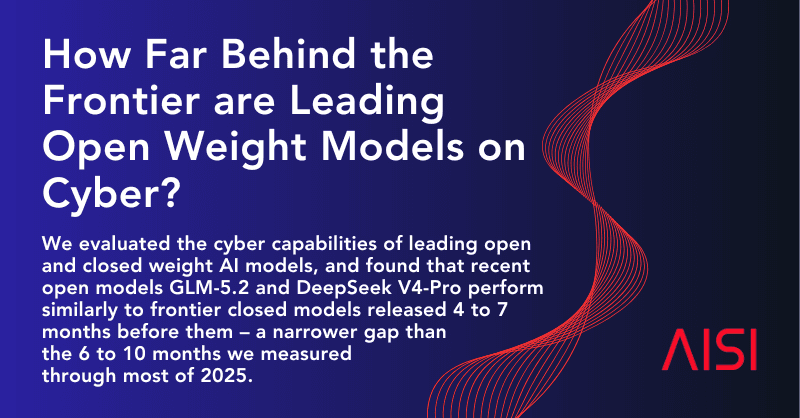
The British institute AISI concludes that the best open-weights models are 4 to 7 months behind closed models in cybersecurity, a smaller gap than in 2025.
6 min

Newsletter
Cursor: Voice Chat with Agents in the Editor
Cursor launched Voice Chat, which lets you talk by voice with the agent in the editor. See how it works, use cases and limitations.
5 min