
Cursor published on November 6, 2026 Voice Chat, a feature that allows you to talk by voice with AI agents directly in the editor. The idea is to reduce the friction of typing long prompts and allow hands-free interaction during development.

Cursor: Voice Chat with Agents in the Editor
Cursor launched Voice Chat, which lets you talk by voice with the agent in the editor. See how it works, use cases and limitations.

Marcelo Santiago
Criador do bridgecode
The biggest AI newsletter in the World
Get AI articles in your inbox
Technical curation on models, agents and coding tools. No spam, unsubscribe anytime.
In this article you will see:
- What Voice Chat in Cursor is and how it works
- How to start and use voice conversation
- Practical use cases for developers
- Limitations and considerations
What is Voice Chat in Cursor
Voice Chat allows you to speak to the Cursor agent instead of typing. The agent listens, processes and responds, and can execute actions in code like any other interaction. The feature is integrated into the normal editor flow, with no need to install additional extensions.
The motivation is practical: during development, hands are often busy or the prompt is long and detailed. Voice allows you to describe what you want more naturally, as if you were explaining to a colleague.
How to use
To start a voice conversation, you activate voice mode in the agent panel. From there, Cursor listens while you speak and transcribes in real time. You can interrupt the agent at any time, and it responds with text and actions in the code.
Voice Chat supports the same capabilities as the agent in text mode: reading files, editing, running commands and navigation. The difference is only the input interface.
Practical use cases
Three scenarios stand out in daily use:
Review while typing: you can ask the agent to review a file while you keep typing in another. Voice allows you to trigger the review without taking your hands off the keyboard.
Describing complex bugs: bugs with multiple symptoms are easier to describe by speaking than by typing. The agent receives the complete context in a single speech.
Remote pair programming: in pair programming sessions, voice allows one developer to drive the agent while another observes, without needing to switch between keyboard and chat.
Context: the wave of voice interfaces
Voice interfaces are not new in development tools. Assistants like GitHub Copilot have already experimented with voice commands. The difference with Cursor is the deep integration with the agent: voice is not just a shortcut for commands, but a way to interact with an agent that understands code.
This fits into a larger 2026 trend: reduce the friction between intention and execution. The less a developer needs to translate an idea into typed text, the faster the workflow.
Comparison with alternatives
Before Voice Chat, the alternative was using operating system dictation combined with the Cursor chat. The problem is that OS dictation does not understand code context and often gets technical terms wrong.
Cursor Voice Chat uses recognition optimized for programming terminology, which reduces errors in variable names and paths. Still, it is not perfect, and very specific terms can be misinterpreted.
What changes for people who program with agents
Voice changes the work dynamic. Instead of pausing to type a prompt, you speak while continuing to look at the code. This is especially useful in long debugging sessions, where the context is fresh in your mind.
However, voice does not replace text mode for tasks that require precision. Writing code character by character or specifying exact paths is still more reliable by typing. Voice Chat is complementary, not a replacement.
Limitations and considerations
Voice Chat relies on speech recognition, which can be affected by background noise, accent or technical terminology. Terms like variable names and file paths can be misinterpreted.
The feature also does not replace text mode for tasks that require precision, such as writing code character by character. It is more useful for high level instructions and review.
How to test today
- Update Cursor to the latest version.
- Open the agent panel.
- Enable voice mode.
- Say your instruction and watch the response.
- Check the changelog at cursor.com/changelog/voice-chat for details.
If you already use code agents in the editor, it is worth comparing this experience with the use of Codex CLI and with the Antigravity CLI in the VS Code terminal.
Frequently asked questions about Cursor's Voice Chat
What is Voice Chat in Cursor?
It is a feature that lets you talk by voice with the Cursor agent directly in the editor.
How to enable Voice Chat?
Open the agent panel and enable voice mode. Cursor listens and transcribes in real time.
Does Voice Chat work for writing code?
It is more useful for high level instructions and review. For precision tasks, text mode remains more reliable.
Does voice recognition understand technical terms?
It uses recognition optimized for programming, but very specific terms can be misinterpreted.
Conclusion
Cursor's Voice Chat adds a voice interface to the editor agent, reducing the friction of typing long prompts. It is a practical feature for high level instructions and review, but it does not replace text mode for precision tasks. It is worth testing in real workflows before relying on it.
At bridgecode you coordinate AI agents in a single flow, each in its own isolated space, with its own models and keys.
Source: Cursor
Tags:#radar#ia
Developer and creator of bridgecode, an agentic development environment for orchestrating squads of AI agents. Helps people going from vibe coding to professional development move from idea to shipped product.
Related articles

Newsletter
Apple accelerates Siri to compete with AI agents
Apple is accelerating Siri's roadmap to turn it into an AI agent competitive with OpenAI and Meta, with app control and continuous tasks.
5 min
Newsletter
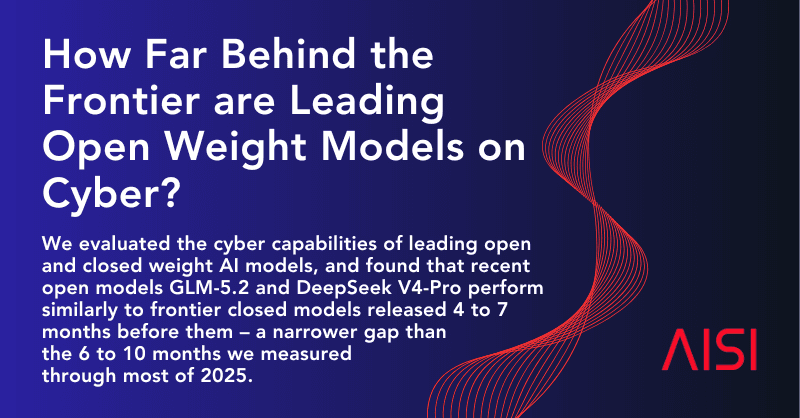
Open models close the gap in cybersecurity
The British institute AISI concludes that the best open-weights models are 4 to 7 months behind closed models in cybersecurity, a smaller gap than in 2025.
6 min

Newsletter
Ampersand: Humans& model focused on group conversation
Humans& launched Ampersand, a model focused on group conversations, available on Vercel AI Gateway. See what changes and how to test it.
5 min