
CONFIRMED · OFFICIAL

Kane CLI Exploration maps web apps before testing
TestMu's Kane CLI Exploration starts from a URL to map screens and flows of a web app, find issues and generate test cases.

Marcelo Santiago
Criador do bridgecode
The biggest AI newsletter in the World
Get AI articles in your inbox
Technical curation on models, agents and coding tools. No spam, unsubscribe anytime.
TestMu AI published Kane CLI Exploration on October 30, 2026, at 12:00 UTC, according to the official announcement page.
The agent opens a web app by URL, walks through its screens and turns observed flows into test cases.
The goal is to find paths and issues before anyone writes scripts manually.
The feature expands Kane CLI, which was already focused on agentic testing. It is not a new AI model nor a code generator to build the application: the output is an explorable map, findings and scenarios for human review.
In this article you will see:
- What Kane CLI Exploration does when it receives a URL.
- What results the TestMu demo presented.
- How the company limits actions that could change data.
- Who the feature is available for and how to evaluate it safely.
Kane CLI Exploration maps screens and flows from a URL
The flow starts with the address of a web application. The agent uses a browser to walk through the interface, open pages, try controls and identify flows that make sense for the product.
Instead of requiring a complete requirements document before the first run, the tool tries to discover what the application allows you to do. The result organizes screens, business areas, user paths and observed issues.
TestMu presents this map as a starting point for QA. A team can review the paths found, eliminate false positives and select the scenarios that really need to become repeatable tests.
The distinction matters for those who use code agents. Kane CLI Exploration does not implement the screen nor fix the defect: it observes the app behavior and prepares material for the engineering team.
If AI already helps you build the first version, see our guide to building a system with AI using Codex.
It shows a different flow, focused on small changes, tests and code review.
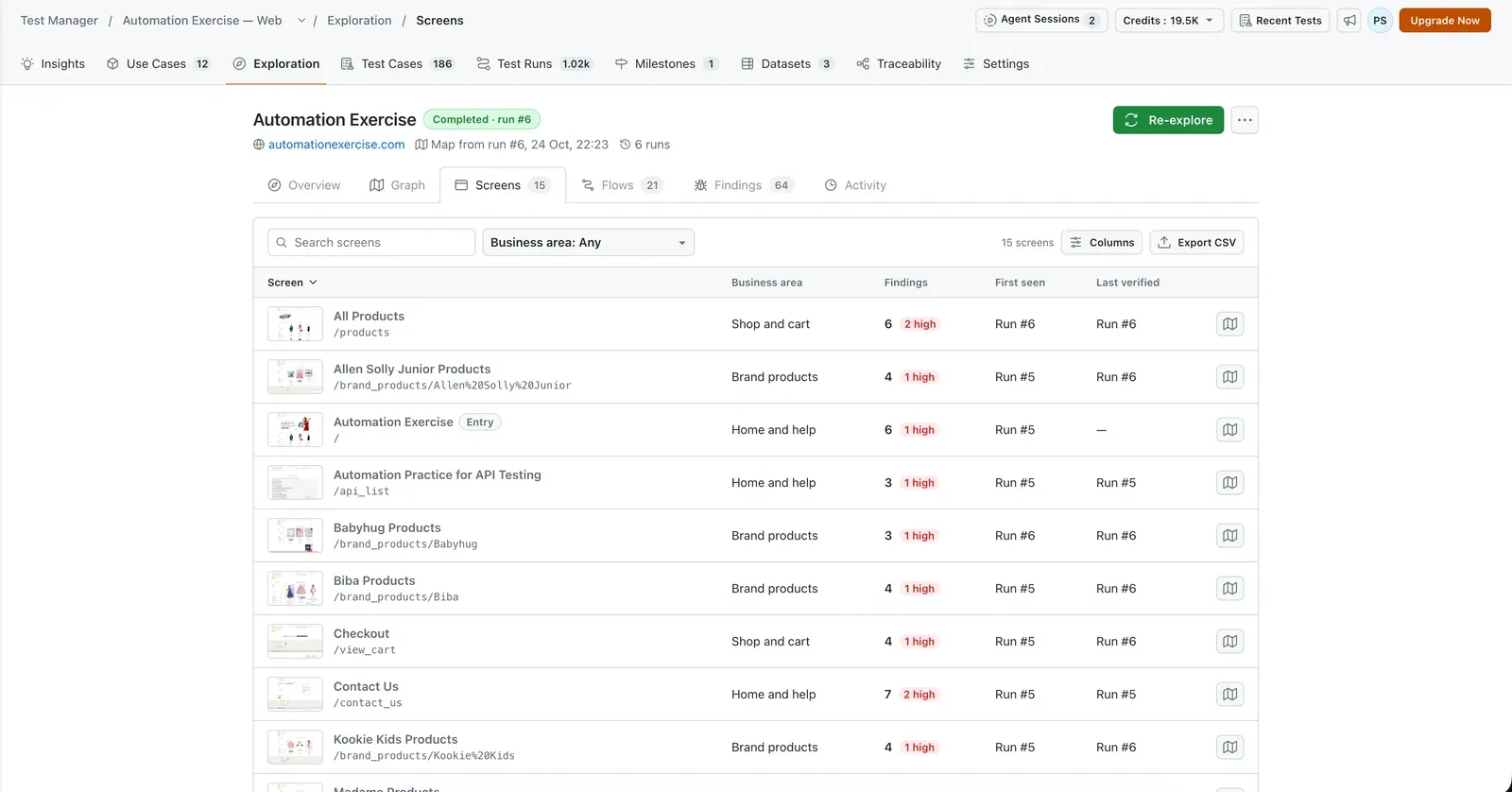
The TestMu image shows a list of screens grouped by area, with a count of findings and an indication of the run that verified them. It is visual evidence of the map, not an independent assessment of test quality.
The TestMu demo found 21 flows in six runs
In the official TestMu demo, six runs covered four business areas and recorded 15 screens and 21 flows.
The same report lists 64 findings: 20 high, 35 medium and 9 low priority.
The same TestMu example generated 14 end to end scenarios for review.
These numbers come from a practice site, not from a comparative benchmark nor a coverage guarantee for other applications.
The tool also shows the origin of each screen and the history of when it appeared or was verified. This helps the team locate a discovery and check if it remains reproducible after an update.
The company says Kane CLI can run up to 20 browsers in parallel on cloud infrastructure, according to the official description.
That limit can speed up a broad exploration, but it does not replace review of the load applied to your own environment.
Test and code agents have different roles.
See how Codex, Copilot and Claude Code work on app development.
Exploration observes and prepares scenarios; the development agent works on repository changes.
Read-only mode reduces the risk of changing data
Exploring an app with an automated browser can trigger buttons, forms and flows that should not be run in production.
TestMu states that the default policy is read-only and blocks write, submit or delete operations, according to the feature documentation.
The company also describes controls to deny specific actions and mask secrets before data leaves the execution environment. These are safeguards disclosed by the vendor, not an independent security certification.
For that reason, the first validation should happen in a test or staging application. Use disposable accounts, fake data and limited permissions, and review the exploration history before releasing the tool for a real application.
If the flow requires authentication, the team should check how credentials are provided and handled. Do not use production passwords in prompts and do not leave valid tokens in screenshots, reports or execution logs.
Exploration can also generate false positives. A path that looks broken may depend on test data, a previous step or a business rule the agent does not know.
Every important finding should be reproduced by a person before it becomes a confirmed defect. This review also avoids turning expected behavior into unnecessary fixes.
How to try Kane CLI Exploration today
TestMu says the feature is available for web applications in KaneAI Max, with up to three explorations per license.
The documentation also defines the initial scope: the described exploration is for web, not for mobile apps.
For a first evaluation, choose a staging site with fake data and start with a small area.
Compare the map with existing scripts and record discovered screens, useful flows, reproducible findings and omissions.
Then repeat the exploration after a known change. This lets you observe whether the tool finds the expected difference, without treating a single run as proof of complete coverage.
The official TestMu AI publication describes how it works and the demonstrated results.
Before incorporating the agent into QA, check the current documentation for access, license limits and available controls.
Frequently asked questions about TestMu's Kane CLI Exploration
What is Kane CLI Exploration?
Kane CLI Exploration opens a web application, walks through its screens and organizes observed flows, findings and test cases for human review.
Does Kane CLI Exploration work with mobile apps?
TestMu describes exploration of web applications. The announced feature is not for mobile apps.
Does Kane CLI Exploration generate tests automatically?
It produces a map of screens and flows, findings and end to end scenarios. The team still needs to review the results and confirm each finding before treating it as a defect.
Do the demo numbers prove the agent's quality?
No. TestMu's demonstration is a vendor example, not a comparative benchmark nor a guarantee of coverage for other applications.
How to test the agent safely?
Start in a test environment with dummy data, limited permissions and read only policy. Check how credentials are provided if the app requires authentication.
The agent speeds up discovery, but does not replace QA
Kane CLI Exploration aims to reduce the initial work of discovering screens, flows and failure points in a web app. The value is in turning exploration into material that a person can verify and reuse.
The public demo shows how TestMu organizes these results, but it does not prove universal coverage nor eliminate the need for specifications, maintained tests and human review.
You define the goal and the agents split the tasks: one plans, another builds, another tests. See how orchestration works on bridgecode.
Source: TestMu AI
Tags:#TestMu AI#Kane CLI Exploration#QA#automação de testes#agentes de IA
Developer and creator of bridgecode, an agentic development environment for orchestrating squads of AI agents. Helps people going from vibe coding to professional development move from idea to shipped product.
Related articles
Newsletter
MOSS-Live: real-time conversation that doesn't stop when you talk
OpenMOSS published MOSS-Live on November 7, 2026, a full-duplex system that keeps the conversation flowing while the assistant responds and runs tasks in the background.
6 min
Newsletter
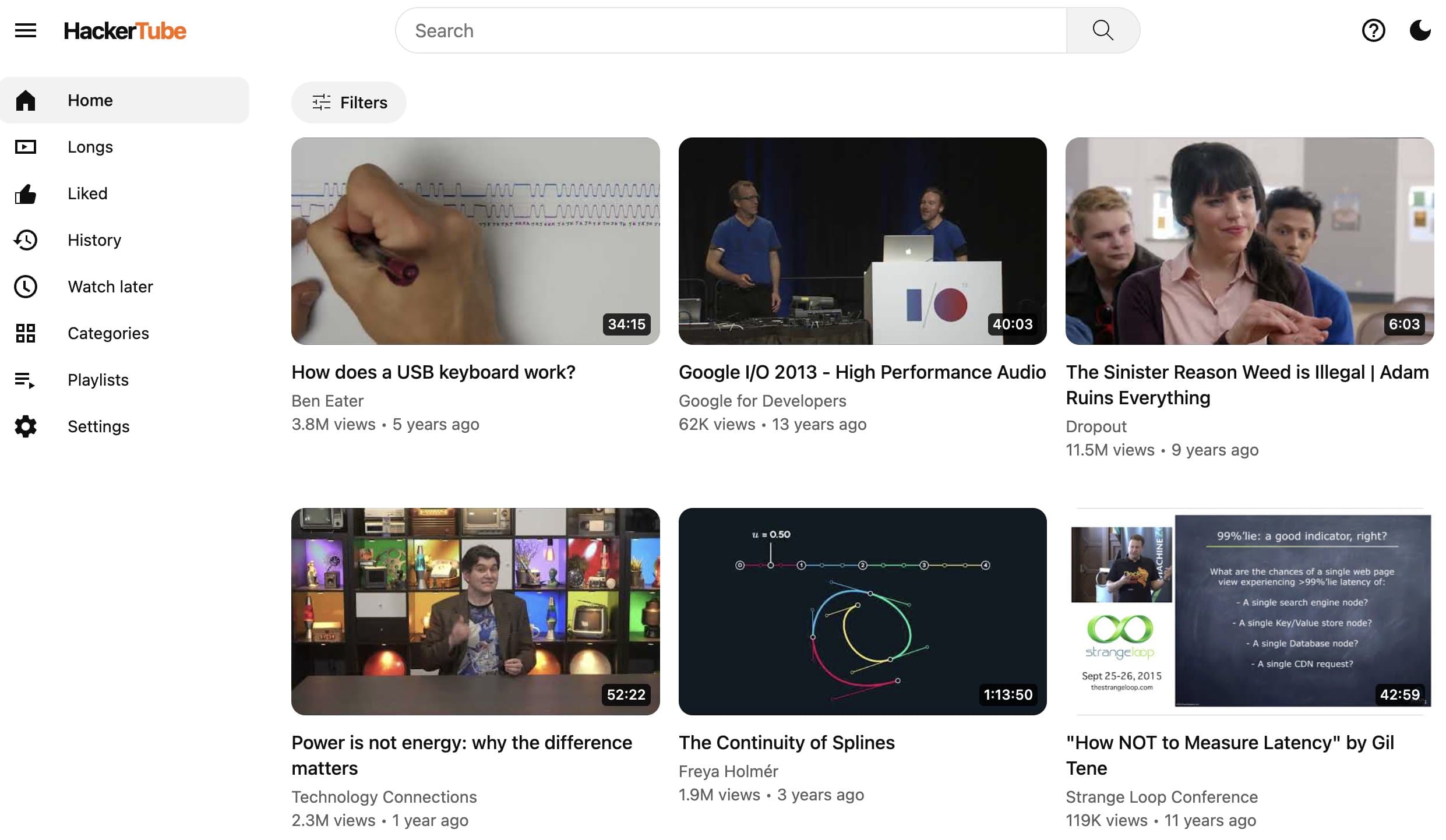
Karpathy builds a video platform over a weekend with Claude
Andrej Karpathy built HackerTube in a weekend with Claude. What it says about development speed with coding agents.
5 min

Newsletter
Rich Sutton reinforces that compute alone does not create intelligence
Turing Award winner Rich Sutton reinforces that raw compute is not enough for intelligence and calls for new methods, continuous learning and world models.
5 min