
Amp, Sourcegraph's AI coding tool, launched Spaces on November 6, 2026, a new way to work with multiple agents at the same time. Instead of creating and organizing threads manually, you talk to a single agent whose job is to spawn and coordinate the others.

Amp Spaces: an agent that coordinates other agents
Amp launched Spaces, a mode where an orchestrator agent creates and coordinates threads for you. Learn how it works and how to test it today.

Marcelo Santiago
Criador do bridgecode
The biggest AI newsletter in the World
Get AI articles in your inbox
Technical curation on models, agents and coding tools. No spam, unsubscribe anytime.
In this article you will see:
- What Spaces is and how it changes the way you use agents in Amp
- How to create and operate a space day to day
- Real world examples of internal use by the Amp team
- How to start using Spaces today
What Spaces is in Amp
Spaces is a conversation space with a single orchestrator agent. This agent creates and organizes threads for you, delegating tasks to specialized agents. The idea is to move out of trench mode, where you manage each thread, to captain's chair mode, with a top down view and point dives when needed.
The Amp team used Spaces internally for more than a month before launch. Engineer Tim Lucas worked almost entirely through spaces for 24 days and created only about 5 threads from the old mode in that period.
How it works in practice
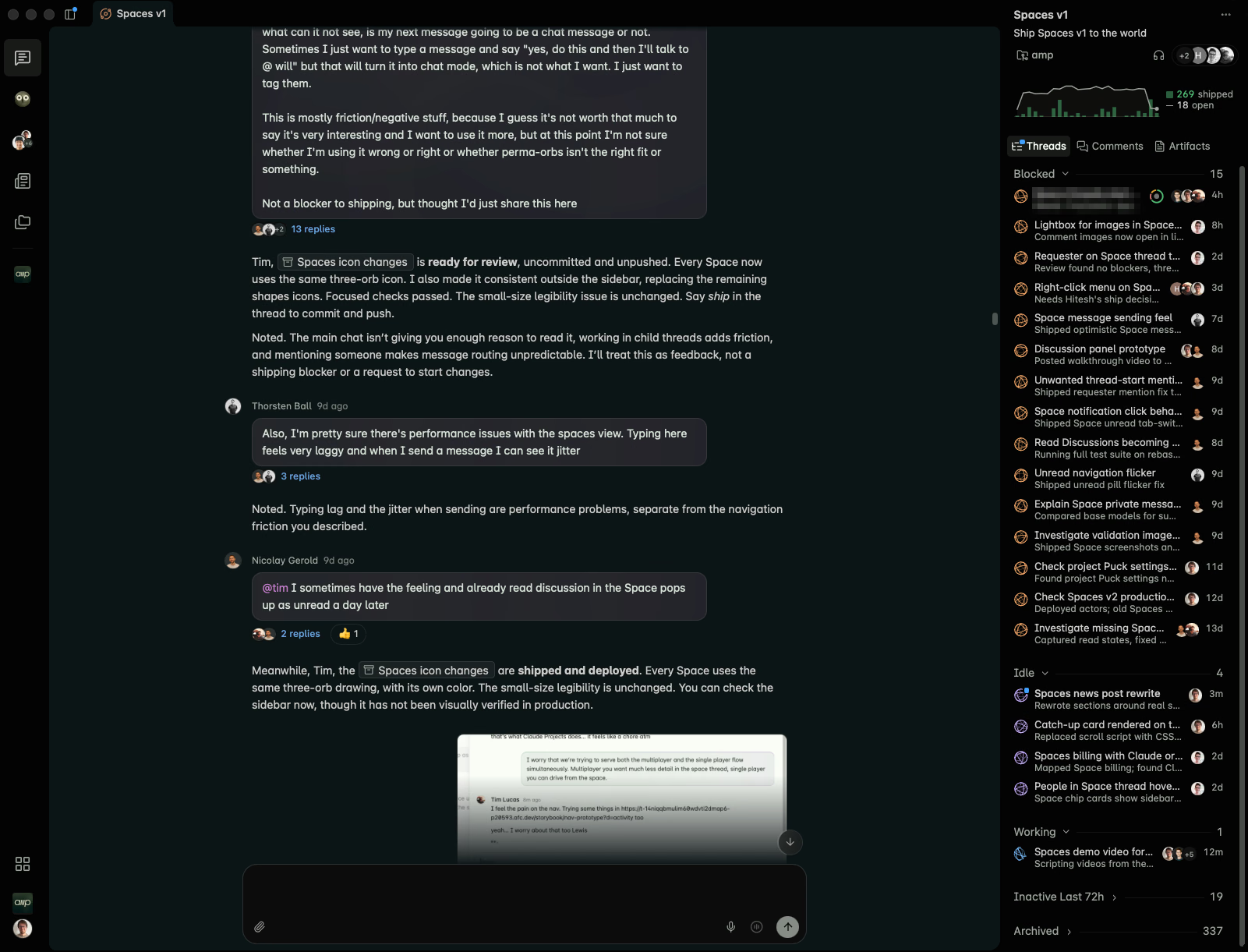
To start a space, you use the "+" button in the Spaces section of the sidebar, set a title and a project, and tell the agent what to work on. The orchestrator agent then spawns threads as needed, keeps a summary artifact in the space and lets you dive into any individual thread.
The space also serves as a team communication channel. Instead of Slack, the Amp team started having discussions and even video calls inside the space. The agent can send messages between threads and read artifacts, which enables real coordination between people and agents.
Real world usage examples
The Amp team documented three usage patterns.
New feature collaboration: the space "Spaces v1" brought together Tim, Lewis, Nicolay and the rest of the team, who left feedback, bugs and ideas in the chat. The agent delegated each item to separate threads. When they needed to talk, they used comments and called on Amp when they were ready.
Launch and support: Lewis ran the service accounts launch from a single space. From it, he could publish the feature, monitor X, Slack and bug reports, fix bugs and send emails and refunds. The space monitored user issues and system health for the rest of the week.
Recurring security review: Will gave the space the goal of reviewing recent changes for security issues. The first run split the codebase into 16 areas, reviewed each one in its own thread, verified each finding in another and kept a summary artifact in the space for follow up.
What changes for those who code with AI
The main change is in control granularity. Before, you managed threads. Now, you define goals and the agent manages the threads. This reduces the cognitive load of coordination and lets small teams operate like larger teams.
Spaces also blurs the line between individual tool and team tool. Since a space can be shared, it becomes a place where people and agents collaborate in the same context, with persistent history and artifacts.
If you already organize agents in another way, it is worth comparing. See how plan tasks with the BMAD Method and how organize agents with Google Antigravity help keep the flow under control.
What Spaces does not do
Spaces does not replace the need for human review. The orchestrator agent delegates, but the final decision about what goes into the code remains with the team. It also does not resolve merge conflicts between threads automatically: each thread works in its own context, and final integration is a human responsibility.
Another point: Spaces depends on connectivity. Without internet access, the orchestrator agent does not work. For offline tasks, the traditional thread mode is still required.
Context: why orchestration matters
The 2026 trend is clear. Tools like Claude Code, Codex and OpenCode already allow running multiple agents in parallel. The challenge is no longer spawning agents, it is coordinating them without losing control.
Amp Spaces bets that coordination should be conversational: you talk to one agent, and it takes care of the rest. Other tools, like bridgecode, bet on a visual interface where you follow each agent in its isolated space. The two approaches solve the same problem with different metaphors.
Limits and considerations
Spaces is available for Amp users. The team recommends not mixing personal workspace with team workspace, for billing and security reasons. One Amp account, with one email, can belong to only one workspace.
Frequently asked questions about Amp Spaces
What is Amp Spaces?
Spaces is a mode in Amp where an orchestrator agent creates and coordinates threads for you, instead of you managing each thread manually.
How to create a space in Amp?
Use the '+' button in the Spaces section of the sidebar, set a title and project, and describe to the agent what to work on.
Can Spaces be used by teams?
Yes. Spaces can be shared and serve as a communication channel between people and agents.
Does Spaces replace human review?
No. The agent delegates tasks, but the final decision on code remains with the team.
How to test Spaces today
- Update Amp to the latest version.
- Open the Spaces section in the sidebar.
- Click "+" and set title and project.
- Describe to the agent what to work on.
- Follow the threads created and dive in when needed.
For more details, see the documentation at ampcode.com/news/spaces.
If you already use code agents day to day, it is worth comparing this approach with the orchestration you already have. With bridgecode you coordinate AI agents in a single flow, each in its isolated space, with its own models and keys.
Source: Amp
Tags:#radar#ia
Developer and creator of bridgecode, an agentic development environment for orchestrating squads of AI agents. Helps people going from vibe coding to professional development move from idea to shipped product.
Related articles

Newsletter
Apple accelerates Siri to compete with AI agents
Apple is accelerating Siri's roadmap to turn it into an AI agent competitive with OpenAI and Meta, with app control and continuous tasks.
5 min
Newsletter
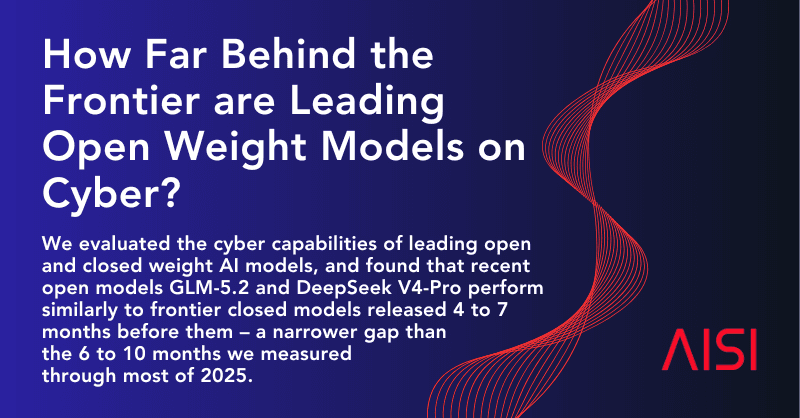
Open models close the gap in cybersecurity
The British institute AISI concludes that the best open-weights models are 4 to 7 months behind closed models in cybersecurity, a smaller gap than in 2025.
6 min

Newsletter
Cursor: Voice Chat with Agents in the Editor
Cursor launched Voice Chat, which lets you talk by voice with the agent in the editor. See how it works, use cases and limitations.
5 min