
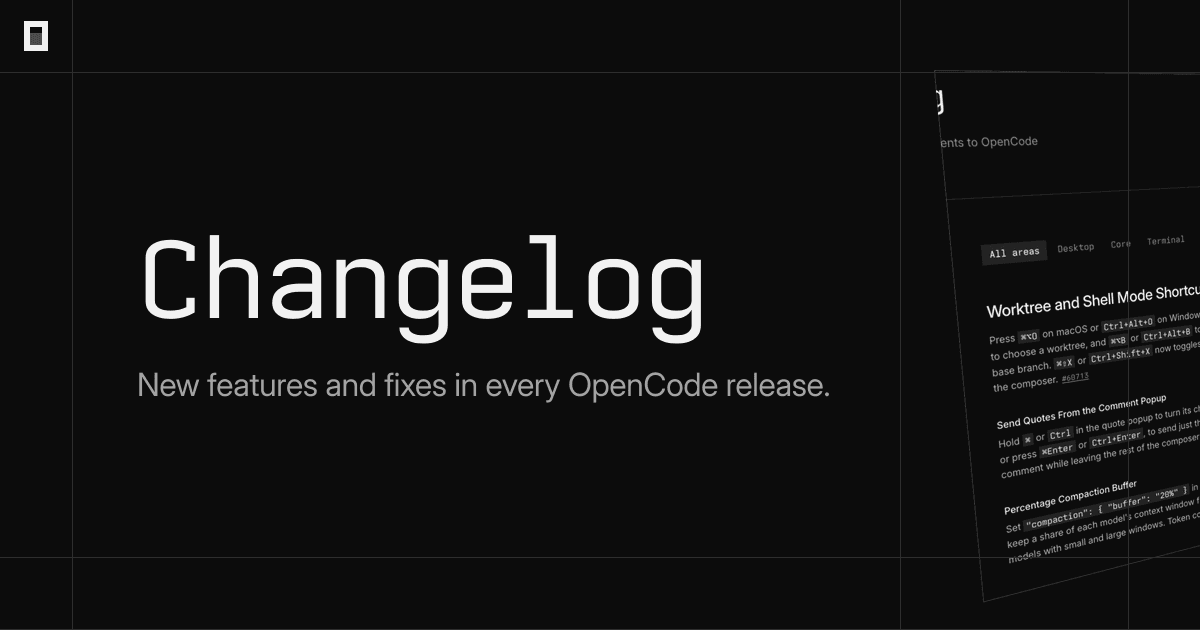
OpenCode v2.2.6 shipped on November 6, 2026 and brings changes that affect the day to day of people who use code agents in the terminal. The focus of this release is not a new model, but how OpenCode manages MCP connections, terminal sessions and the project workspace.
Dicas4 min
OpenCode v2.2.6: Shared MCP, worktrees and archived runs
OpenCode 2.2.6 brings shared MCP across projects, worktrees for runs and archived sessions. See what changed and how to test.

Marcelo Santiago
Criador do bridgecode
The biggest AI newsletter in the World
Get AI articles in your inbox
Technical curation on models, agents and coding tools. No spam, unsubscribe anytime.
Anyone running OpenCode across several repositories at the same time feels the problem: each project opens its own connection to the same MCP server, consumes more processes and takes longer to start. v2.2.6 fixes this with connection pooling and adds two new commands that help with automation and CI.
In this article you will see:
- How shared MCP works across projects
- How to run a session in a new worktree with opencode run -w
- How to archive CI runs with the --archived flag
- Other release improvements and how to test today
What changed in OpenCode v2.2.6
OpenCode 2.2.6 brings five main highlights. The first is sharing MCP connections between projects that use the same configuration. The second is the ability for UI plugins to add color themes, actions in code blocks and native configuration components. The third is a composer dock for phones and tablets. The fourth is running runs in git worktrees. The fifth is automatic archiving of CI runs.
Beyond the highlights, the release brings core improvements, such as session warming by provider and model, a usage policy for web search, an experimental bytecode VM for Code Mode and support for PowerShell 7 installations from the Microsoft Store on Windows.
Shared MCP across projects
Sharing MCP connections is the most useful change for people who maintain several projects. Until now, each project opened its own connection to the same MCP server. With v2.2.6, just enable pooling with pool: true in the server configuration. All projects with the same configuration will start using a single connection.
The practical result is fewer processes running at the same time and faster startup. For people who use heavy MCP servers, such as search or file servers, the resource savings are noticeable.
To enable it, add pool: true to the MCP server entry in the OpenCode configuration file. Then run OpenCode in two different projects and check that only one server process appears. If the server requires per project state, disable pooling in that case.
Runs in worktree with opencode run -w
The flag --worktree, or -w, starts a session in a new git worktree. This is useful when you want to test a change without touching the main project tree. Just run opencode run -w and OpenCode creates the worktree and starts the session in it.
If you want to choose the worktree name, use --worktree=. The flag cannot be combined with --continue or --session, because the new session has no previous history. People who use worktrees in CI can create a worktree per run and discard it at the end.
A common flow is to run opencode run -w "crie testes para o módulo X" and let the agent work in the isolated worktree. If the result is good, you merge the branch. If not, you discard the worktree without dirtying the main project.
Archived sessions for CI runs
A flag --archived creates the session already archived. CI runs and automated scripts stop appearing in the inbox and session lists. Archived sessions are also hidden in the terminal interface and are ignored by --continue.
This solves a common problem: after running dozens of agents in CI, the session list gets filled with runs that no one will review. With --archived, those runs stay out of the way, but can still be consulted when needed.
To use it, add --archived to the opencode run command. In pipelines, combine with --format json to capture output in a structured way. Remember to set timeouts on CI jobs, because OpenCode now waits for background commands, subagents and image jobs to finish before exiting.
Other improvements worth testing
The release also changes the behavior of opencode run in non-interactive mode. Now the command waits for background commands, subagents and image jobs started by the prompt and lets the model respond to the results before exiting. While waiting, it prints waiting for N background job(s). There is no time limit: a job that never ends, like a development server, keeps the run open until you press Ctrl+C or send SIGTERM. In CI, set a timeout.
SIGTERM handling also changed. Now the signal cancels the session and background jobs and exits with code 143. This makes OpenCode more predictable in pipelines that need to interrupt executions.
There is also session warming per provider and model, with interval: "auto" mode based on cache TTL. And the websearch.use policy to control web search usage. If you want to test experimental features, you can enable all flags with OPENCODE_FLAGS=all or experimental.all_flags.
How to test today
- Update OpenCode to version 2.2.6.
- In two projects with the same MCP server, add
pool: trueand check the process reduction. - Run
opencode run -w "descreva a tarefa"in a git repository and verify the worktree created. - Run
opencode run --archived "tarefa de CI"and check that the session does not appear in the main list. - In a pipeline, add timeout and test the behavior with SIGTERM.
If you already use OpenCode with other agents, it's worth comparing the flow with the MCP server git and with the Claude Code 2.1.319, which also changed MCP and background.
Frequently asked questions
What is MCP pooling in OpenCode?
It is the pool: true option in an MCP server configuration. Projects with the same configuration now share a single connection, reducing processes and speeding up startup.
How to run a session in a new worktree?
Use opencode run -w or opencode run --worktree=<name>. OpenCode creates the worktree and starts the session in it. The flag cannot be combined with --continue or --session.
What is the --archived flag for?
It creates the session already archived, so CI runs and scripts do not appear in the inbox or session lists. Archived sessions are also ignored by --continue.
Does opencode run now wait for background commands?
Yes. The command waits for background commands, subagents and image jobs to finish before exiting and prints waiting for N background job(s). In CI, set a timeout to avoid stuck runs.
What is the exit code with SIGTERM?
With v2.2.6, SIGTERM cancels the session and background jobs and exits the process with code 143.
Conclusion: fewer processes, more control
v2.2.6 does not change the model you use, but changes how OpenCode manages resources and sessions. Shared MCP reduces processes, worktrees isolate changes and archived sessions keep the list clean. For those who run agents in multiple projects or in CI, these are practical and immediate improvements.
v2.2.6 does not change the model you use, but changes how OpenCode manages resources and sessions. Shared MCP reduces processes, worktrees isolate changes and archived sessions keep the list clean. For those who run agents in multiple projects or in CI, these are practical and immediate improvements.
Want to put OpenCode to work with other agents on the same project? Build an agent squad on bridgecode that works with you every day.
Source: GitHub (anomalyco/opencode)
Tags:#O#p#e#n#C#o#d#e#M#C#P#w#o#r#k#t#r#e#e#C#I#a#g#e#n#t#e#s#d#e#c#ó#d#i#g#o
Developer and creator of bridgecode, an agentic development environment for orchestrating squads of AI agents. Helps people going from vibe coding to professional development move from idea to shipped product.
Related articles
Dicas
MCP Inspector: How to Test and Debug MCP Servers Locally
MCP Inspector is the reference tool for testing and debugging MCP servers in the browser, CLI and terminal. See how to install and use it in CI.
7 min
Dicas
How to migrate Agents SDK v0.33.0 to Pi 1.5
Agents SDK v0.33.0 updates PiHarness to Pi 1.5. See the changed APIs, rollback risks, and a validation roadmap.
6 min
Dicas
LangGraph in practice: how to structure cyclic graphs and checkpoints for agents
LangGraph is a Python framework for agents as state graphs. See how to build graphs and use checkpoints.
6 min