
Playwright Test Agents split the work of creating UI tests across three roles: Planner, Generator and Healer. The official documentation describes this flow for teams already using Playwright Test.

Dicas6 min
5 tips for using Playwright Test Agents
Planner, Generator and Healer split test creation in Playwright. See how to review the results and the caveat about the Docker image v1.64.1.

Marcelo Santiago
Criador do bridgecode
The biggest AI newsletter in the World
Get AI articles in your inbox
Technical curation on models, agents and coding tools. No spam, unsubscribe anytime.
The stable release consulted is v1.64.1, published on October 14, 2026. The guide below covers the agents in the core library, not Playwright CLI, which we already covered in another article.
In this article you will see:
- The role of each agent and how they connect.
- Five practices to get reviewable tests, not just more files.
- What to check before using agents in the continuous integration flow.
- A current alert about the Playwright v1.64.1 Docker image.
Playwright Test Agents organize a cycle, not an autonomous team
The Planner explores the interface and turns a product description into a test plan. The Generator uses that plan to create Playwright tests. The Healer investigates failures and proposes changes to recover broken tests.
The documentation shows the agents working from an initial specification called seed.spec.ts. The Planner can discover the interface and produce cases; then, the Generator converts the cases into automated tests.
The Healer steps in when a test fails. It examines the run, suggests a fix and can repeat the cycle, but a passing test alone does not prove the product is correct.
The Playwright library supports Chromium, Firefox and WebKit through a common API, as described in the official README. This reach helps test differences between browsers, but it does not eliminate the need to review which browsers and versions matter for your audience.
This article covers the Test Agents from the repository microsoft/playwright. The Playwright CLI to interact with a browser is another project and has a different use: browser commands triggered by the agent.
5 tips for using Playwright Test Agents with judgment
Tip 1: give the Planner a clear flow and initial state
Start with a short journey, such as entering a page, filling a test form and confirming the final message. Indicate the available data and the expected result, without mixing several objectives.
A well delimited seed gives the Planner a verifiable starting point. If the agent does not know which initial state to use, the plan can reflect assumptions about accounts, permissions or data that do not exist in the environment.
Tip 2: review the plan before asking the Generator for code
Read the steps and check if each case matches a real requirement. Remove repeated actions, add important error states and correct any expectation that is not part of the product.
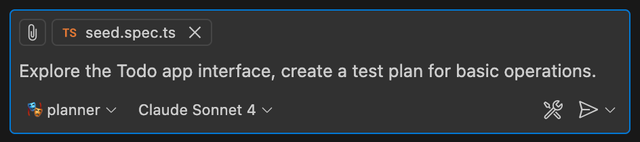
The official documentation for Test Agents shows this planning prompt. The image is a capture of the request to the Planner, not a test result nor proof that all scenarios were covered.
Tip 3: use the Generator to turn criteria into checks
After approving the plan, ask the Generator to create tests aligned to the steps and acceptance rules. Prefer checks of the behavior the user perceives, such as confirmation message, saved state or blocking of an invalid form.
Avoid accepting a suite that only repeats internal details of the screen. A test tied to class names or component order can fail due to a visual change without the experience being broken.
Tip 4: treat the Healer as a diagnostic assistant
When a test fails, examine the cause before letting the Healer change the code. A failure can reveal a defect in the product, unstable test data or a legitimate change in the interface.
Review the proposed diff, confirm that the assertion still measures the requirement and run the relevant suite. If the fix only removes the check that failed, the test can turn green without protecting the behavior that motivated its creation.
Tip 5: regenerate definitions and record decisions
Agents depend on instructions and tools compatible with the Playwright version used in the project. When updating the library, regenerate the definitions according to the documentation and check the diff before replacing existing files.
Keep approved tests in the repository, not raw agent output as if it were a final specification. Record which requirements each test covers and who reviewed changes suggested by the Healer.
To bring tests into an automated routine, the article on GitHub Agentic Workflows and repository automation explains another execution layer. Test agents and the CI flow have different responsibilities.
Playwright security requires separating the library from the Docker image
The repository uses the Apache-2.0 license, as shown in the LICENSE file, and the advisories page consulted does not list any published advisory. That does not mean every image or browser configuration is automatically safe.
A GitHub issue reports 245 CVE findings from the scanner used by the author for the Docker image based on Playwright v1.64.1, 24 of which were classified as critical by him. It is an issue report, not an official advisory nor a measure of exposure for each environment.
Issue #43664 itself records that an image update was merged into main and then reverted on November 5, 2026. Since the latest stable release consulted remains at v1.64.1, do not assume that the newest Chromium revision is in the image tagged with just that version.
If your team uses the Docker image, check the update history and the Chromium version inside the artifact itself. The Playwright security advisories page and the issue reporting image v1.64.1 help separate published advisories from reports still under discussion.
Run tests in staging, with fake data and limited permissions. Test Agents automate planning and execution steps, but they do not by themselves isolate a browser that receives credentials or access to real data.
Frequently asked questions about the Playwright Test Agents
What are Playwright Test Agents?
They are three agents that support test creation and maintenance: Planner, Generator and Healer. The official documentation describes the flow as part of Playwright Test.
What is the difference between Planner, Generator and Healer?
Planner explores the interface and creates a test plan. Generator turns the plan into Playwright tests, and Healer investigates failures and proposes changes.
Do Playwright Test Agents replace human review?
No. The plan, the generated code and the suggested fixes need to be reviewed. A passing test alone does not prove that the expected behavior is correct.
Is the Playwright Docker image v1.64.1 free of alerts?
That cannot be confirmed. A GitHub issue reports CVE findings from a scanner on image v1.64.1; this report is not an official advisory, and the image needs independent verification.
Is there an official advisory published for Playwright?
The advisories page consulted does not list a published notice. This does not replace reviewing issues, browser updates and the configuration of the image used.
Playwright Test Agents need review before merge
Planner, Generator and Healer can reduce the repetitive work of building and maintaining tests. The gain depends on the quality of the seed, the acceptance criteria, and the review of the generated code.
Start with a small journey, approve the plan, validate the assertions and check each suggested repair. Then connect only stable tests to the CI flow and treat the browser container as a separate dependency, with its own updates and reviews.
Instead of switching between tools to plan, execute and review, coordinate your software agents in a single flow on bridgecode.
Source: Microsoft Playwright
Tags:#Playwright#Playwright Test Agents#testes end-to-end#Planner#Generator#Healer#segurança de software
Developer and creator of bridgecode, an agentic development environment for orchestrating squads of AI agents. Helps people going from vibe coding to professional development move from idea to shipped product.
Related articles
Dicas
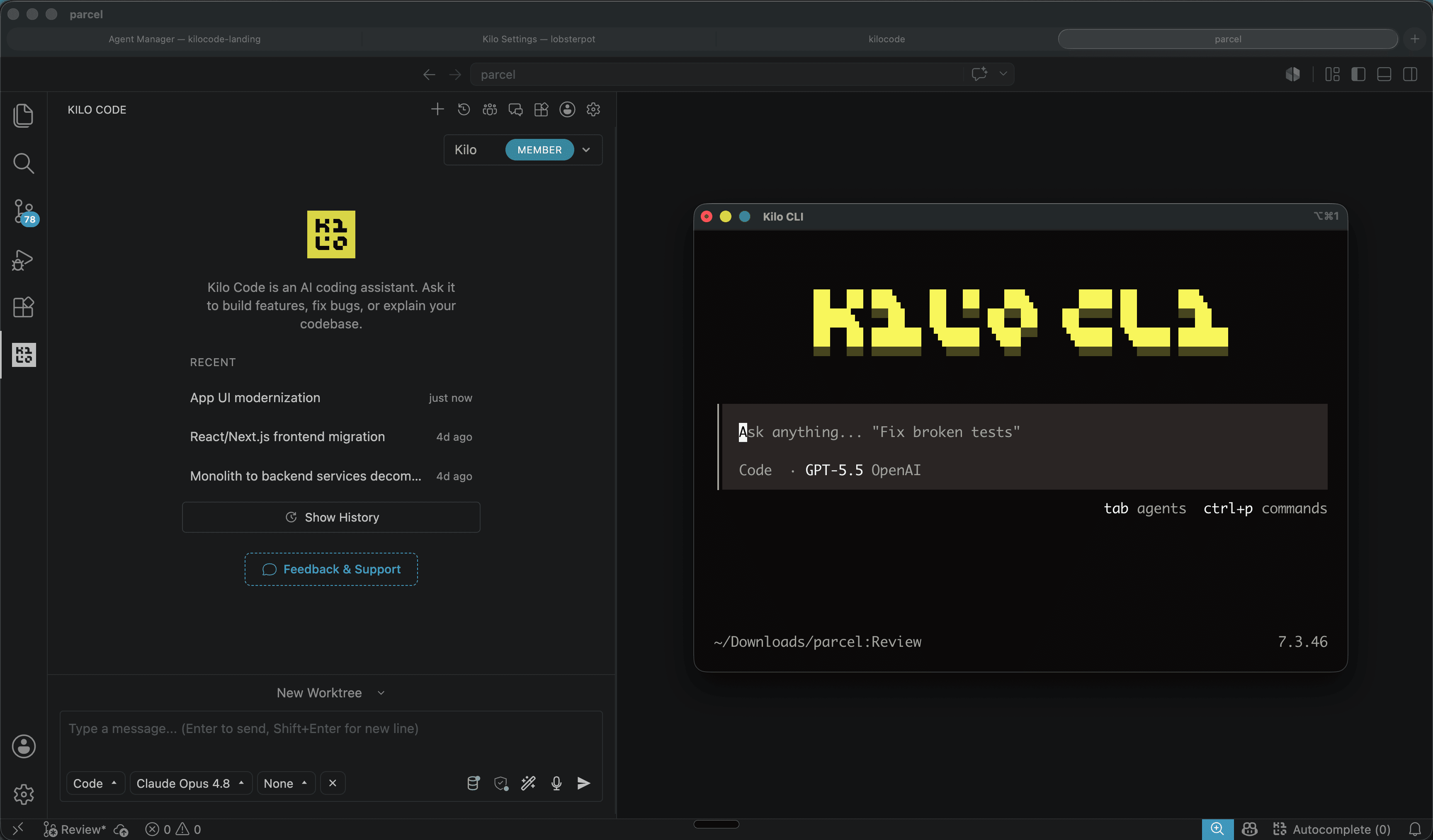
Kilo Code: open source coding agent for VS Code and CLI
Kilo Code is an open source coding agent for VS Code, JetBrains and CLI, with more than 500 models and provider direct pricing.
6 min
Dicas
How to test AI agents in cloud operations with CloudOpsBench
CloudOpsBench releases 45 cloud operation tasks to test your AI agent. See how to clone, validate and run against an emulator or real AWS.
6 min

Dicas
Tencent's Hy4: 1M context, vision and tool calling
Tencent's Hy4 brings 1 million tokens of context, vision and native tool calling for code agents and long duration tasks.
5 min