
On November 6, 2026, at 01:40 UTC (November 5, 22:40 BRT), OpenAI published Codex 0.167.0, release marked as the latest stable version on GitHub checked in this round. The highlight is an agents hub accessible from the terminal, along with changes to backend switching and local image usage.

Codex 0.167.0 adds an agent hub in the terminal
Codex 0.167.0 adds an agent hub in the terminal, highlights unread results and preserves drafts when switching backends. See what changes.

Marcelo Santiago
Criador do bridgecode
The biggest AI newsletter in the World
Get AI articles in your inbox
Technical curation on models, agents and coding tools. No spam, unsubscribe anytime.
In this article you will see:
- How to open the agents hub and identify unread results.
- What happens to drafts when switching backend.
- How local image previews work in compatible terminals.
- What other adjustments arrived and what the release does not announce.
Codex 0.167.0 brings the agents hub to the terminal
The most visible novelty is Codex's agents hub, opened with codex agents --no-daemon. The official page for the release 0.167.0 also says that the hub and the session selector now highlight unread results.
This helps when there is more than one task in progress. Instead of going through the entire history to find out if an agent finished or left new output, the user can find sessions with pending activity in the terminal interface.
The agents hub does not change the nature of Codex CLI. The terminal remains the work surface, while the session list organizes executions that can be resumed or reviewed. The release does not state that this feature turns each agent into an autonomous process without supervision.
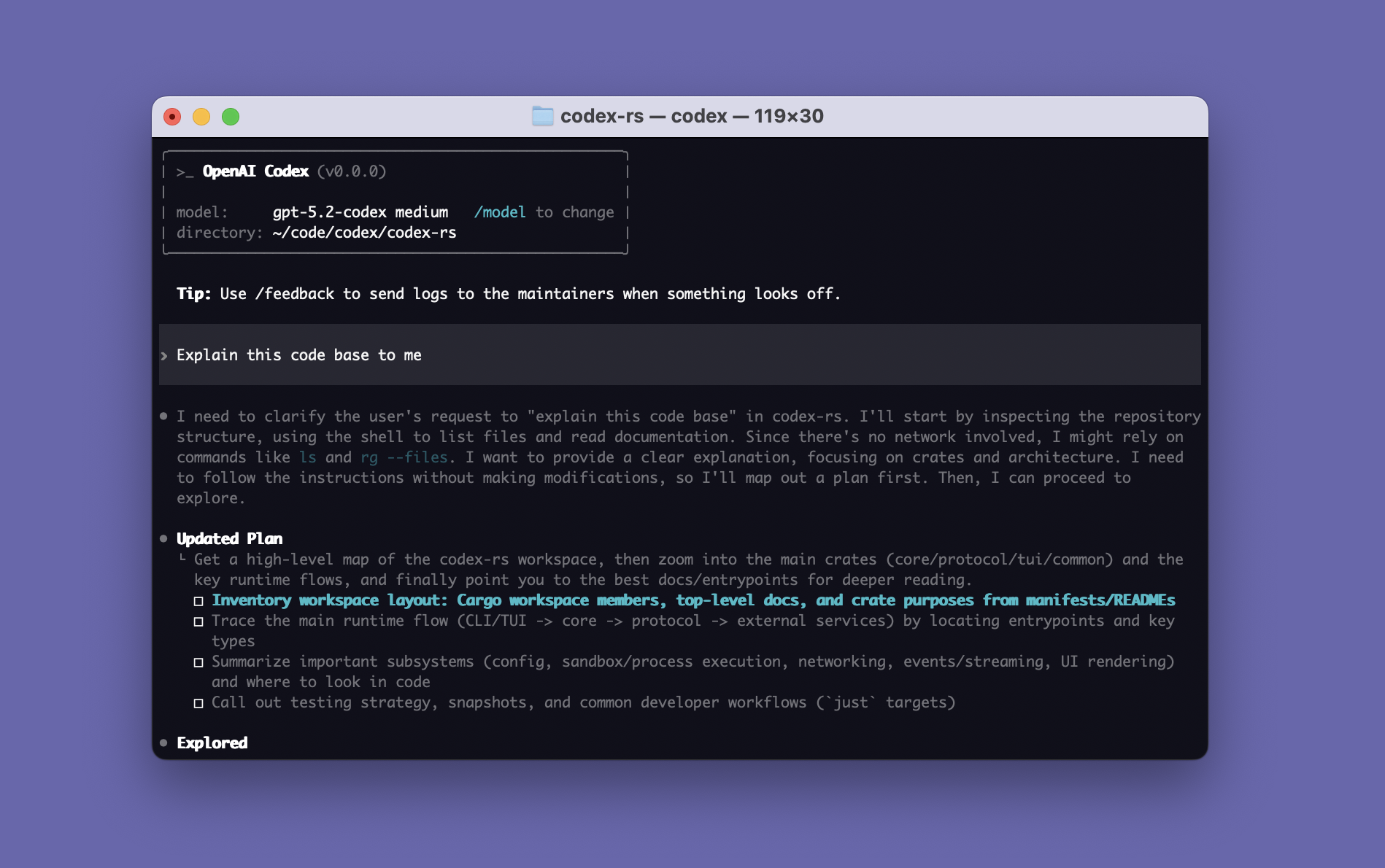
The capture above illustrates the general Codex CLI interface and a code exploration plan. It does not show the new agents hub from 0.167.0; it is a visual reference of the environment described in the official README.
Switching backend now preserves drafts
The session selector also received a practical change for those who switch between connected backends. Codex 0.167.0 keeps drafts during the switch, instead of requiring the person to restart the message they were preparing.
The same release improves access to saved conversations after switching provider. If a conversation cannot be resumed directly, the history remains visible and the user can prepare an editable prompt to continue in a new conversation.
These details are relevant because switching backend can affect the ability to continue a session. The release describes a way to preserve reading context and draft, but does not promise that every conversation will be resumed with the same internal state on any provider.
This connects to the infrastructure problem OpenAI described when presenting the Pando, backend created to scale Git operations used by Codex. Release 0.167.0 deals with the local session experience, while Pando addresses storage and repository operations.
Image previews arrive for compatible terminals
Another change appears when attaching local images. In compatible terminals, Codex's composer can show a preview while the person prepares the message. History also allows opening local images accessed via clickable paths in the transcript.
The caveat "in compatible terminals" is important. The notes do not say that visualization works in every terminal, system or file type. Behavior depends on the supported environment and available integration.
For a programming agent, the preview reduces the chance of sending the wrong file without noticing. The user still needs to check if the chosen image is correct and if its content can be shared; the interface does not replace a review of sensitive data.
Other adjustments expand configuration and review
The update also includes smaller changes that can make a difference in specific environments:
- The “Sign in another way” screen now groups API key and cloud provider options. With
gcp_setup_wizardenabled, configuration can use Application Default Credentials or a credentials file for Google Cloud Vertex AI. - On macOS and Windows, users can opt to use system proxy settings in
/experimental. - During an approval request, patch details can be expanded directly in the transcript.
Ctrl+Lclears the terminal screen andCtrl+Tkeeps access to previous messages.
These items do not all have the same scope. Vertex configuration requires enabling a specific feature, proxy is described as an experimental option and the terminal shortcut is a navigation adjustment, not a model change.
OpenAI has also announced it intends to expand the tools around Codex with the acquisition of Pierre, a Git and review tools company. This announcement and release 0.167.0 are different topics: the acquisition concerns the strategy to expand Codex tools, while the changelog describes features included in this version.
What Codex 0.167.0 does not announce
The release page lists CLI changes, fixes and documentation. It does not introduce a new model, a benchmark scoreboard or a promise that the agent hub will complete projects without human review.
There is also no comparative test in the changelog that quantifies speed or quality gains. The value of the update is in observable functions: finding pending results, keeping drafts when switching backend, viewing attachments in compatible environments and reviewing patches during approvals.
To assess the impact on your own team, it is worth watching three points after the update: whether pending sessions become easier to locate, whether backend switching preserves the prepared text and whether image preview works in the terminal used by the team.
Frequently asked questions about the Codex 0.167.0 release
How to open the Codex 0.167.0 agent hub?
The release recommends opening the agent hub with `codex agents --no-daemon`. The hub and the session selector now also flag unread results.
Does Codex 0.167.0 preserve drafts when switching backends?
Yes. The release says Codex keeps drafts when switching between connected backends in the session selector.
Does Codex 0.167.0 preview local images?
Yes, on compatible terminals. The version shows previews of local attachments during composition and lets you open local images via clickable paths in the transcript.
Is Codex 0.167.0 a new AI model?
No. It is an update to the Codex CLI with changes to interface, sessions, attachments and configuration; the release page does not announce a new model.
Codex 0.167.0 makes the session flow more readable
Version 0.167.0 focuses on improvements to session organization and terminal interaction, not a new model capability. The agent hub and reading states help track tasks, while preserved drafts reduce rework when switching backend.
The update is more useful for those who already work with multiple sessions and need to review results before proceeding. For those who use Codex occasionally, the image, proxy and patch review adjustments may be more relevant than the hub itself.
It's not just code. At bridgecode, orchestrate AI agents in a squad to split planning, execution and project review.
Source: OpenAI Codex on GitHub
Tags:#OpenAI#Codex#Codex CLI#0.167.0#agentes de IA#desenvolvimento
Developer and creator of bridgecode, an agentic development environment for orchestrating squads of AI agents. Helps people going from vibe coding to professional development move from idea to shipped product.
Related articles

Newsletter
Merge uses GPT-6 Astra, ChatGPT and Codex in operations
OpenAI publishes a customer story about Merge, which uses GPT-6 Astra, ChatGPT and Codex for product, marketing and business planning.
5 min

Newsletter
OpenAI partners with Hacktron to hunt vulnerabilities
OpenAI announced a partnership with Hacktron to find vulnerabilities in its systems. See what was confirmed and what is still not detailed.
5 min

Newsletter
Ramp: AI spending stalls as Anthropic approaches IPO
Ramp data shows AI usage climbing while spending stalls. The picture challenges revenue expectations for OpenAI and Anthropic.
5 min